Product Description
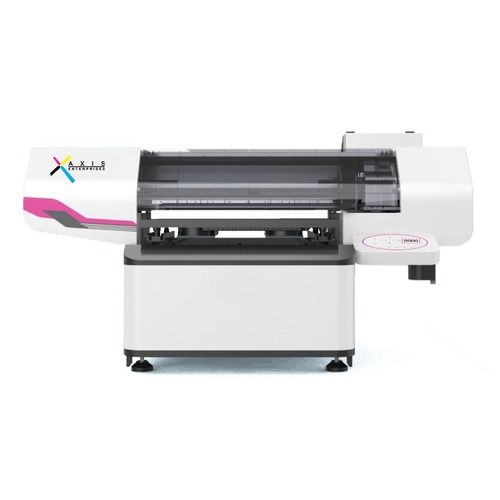
Model Flashjet Pro
Nozzle spray force range
Number of Nozzles 3200 (Individual)
Distance between nozzles 1/300 inch
8
4
Number of nozzles rows
Maximum no. of supported
ink colors
Droplet ejection
performance
2 levels of grayscale
3 levels of grayscale
4 levels of grayscale
5 pl (43.2kHz)
6, 12.5 pl (21.6kHz)
3.8, 6.2, 9.3 pl (21.6kHz)
Print size 600*900mm
Print height 0-180mm
Print version White, Color & Varnish
Print mode CMYK Lc Lm Lk Llk+W+V
Print resolution 720*600dpi / 720*900dpi / 720*1200dpi
Print dimension 1676mm*1638mm*975mm
N. W. 226 KG
Packing size
G. W.
Rip software
Print speed
1.86m*1.81m*1.05m
430 KG
FlexiPRINT MiniServer 22
High quality mode (8 pass)
Standard production mode (6 pass)
High-speed production mode (4 pass)
9-23 min/version
7-17 min/version
4-12 min/version
Graphic format Tiff, Jpg, Eps, Pdf, Png, AI
Connection method
Power
Rated power
Cable
AC220/110V10, 50HZ60HZ
470 W
Working environment
Temperature
Humidity
20o-28oC
35%-65%
Operation environment
Dust
Illumination
Avoid dusty environments
Avoid direct sunlight
Ink type Environmentally friendly UV curing ink
Print Head
2-3 mm
Epson I3200-U1 *1 White Epson I3200-U1HD *1 Color Epson I1600-U1 *1 Varnish
2-3 mm 2-3 mm
3200 (Individual) 1600 (Individual)
1/300 inch 1/300 inch
8
8
4
4
(ink droplet volume
& ejection frequency)
5 pl (43.2kHz)
6, 12.5 pl (21.6kHz)
3.8, 6.2, 9.3 pl (21.6kHz)
5 pl (43.2kHz)
6, 12.5 pl (21.6kHz)
3.8, 6.2, 9.3 pl (21.6kHz)
High-Performance Printing for Professional NeedsFeaturing advanced Konica Minolta heads and bidirectional print capability, the machine delivers impressive speeds up to 50 sqm/hr. Its engineered for efficiency in print shops, signage companies, and industrial applications, supporting high-duty cycles and uncompromising quality across diverse substrates.
Versatile Media Handling and Precise OutputThis digital printer supports media up to 5 mm thick, making it ideal for banners, vinyl, canvas, and flex applications. The integrated drying system ensures rapid output, reducing waiting times and enhancing operational productivity. The ICC profile-supported color management guarantees accurate color reproduction for every job.
Integrated Automation and User-Friendly OperationThe built-in automatic head cleaning system and computerized digital panel simplify maintenance and control. Designed for a quiet workspace ( 60 dB(A)), the printer keeps energy usage below 3.5 KW, helping manage operational costs. Onsite service support is available in India, ensuring prompt technical assistance whenever needed.
FAQs of Konica digital printer:
Q: How do I operate the Konica digital printer for large format materials?
A: Operation is straightforward via the digital panel. Load mediasuch as vinyl, canvas, flex, or banneronto the flatbed, select your desired settings, and initiate printing. The printers automatic grade and computerized controls enable easy start-up and management for large volumes.
Q: What benefits does the ICC profile-supported color management provide?
A: ICC profile support ensures accurate and consistent color reproduction, which is crucial for branding, photo prints, and commercial applications. It allows you to match colors precisely across jobs and different media types, maintaining the professional standards your clients expect.
Q: When should I use the automatic head cleaning system?
A: The automatic head cleaning system can be triggered regularly or before critical jobs to maintain optimal print quality and extend the life of the print heads. Its recommended to follow maintenance intervals as indicated on the digital panel or when noticing any drop in performance.
Q: Where is onsite service support available for this printer?
A: Onsite service support for the Konica digital printer is available throughout India, covering installation, troubleshooting, maintenance, and technical queries. Contact your supplier or service provider for scheduling and assistance.
Q: What is the process for switching between different media types?
A: Switching media involves unloading the current material and loading the new substrate onto the flatbed. Adjust the machine settings for thickness (up to 5 mm) and select the appropriate print mode via the control panel. The printers automated features help streamline this process.
Q: How does the integrated drying system enhance usage?
A: The built-in heater and fan drying system rapidly dries prints as they are produced, decreasing turnaround time and reducing the risk of smudging or incomplete drying, especially on high-volume and fast-paced print runs.






 Send Inquiry





